Along with the release of Decoration 1.2, I’ve released a new web site to apply effects to your photo albums.
The new web site is http://effects.japplis.com.
You first choose which effect you want to apply to your photos, then add the photos to the left panel, click on the Play button and save the files generated in the right panel.
More than 100 effects are available including color border, gradient frame, round corners, drop shadow, mirror, blur, reduce noise, tint, mosaic, superpose text, watermark, rotate, zoom, crop, brightness, contrast, gamma, glow, bend, sharpen, change transparency, oil, emboss, bump or edge.
Contrary to most of the online photo editors, no account is needed and the photos won’t be uploaded to a server.
The web site is also available in French at http://effets.japplis.com
If you want to combine effects or have more options use Decoration online
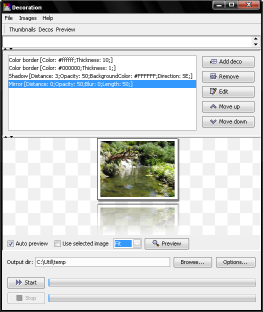
I’ve released a new version of Decoration.
Decoration is a photo editor specialized in applying effects (more than 100) to photo albums.
What’s new:
- Improved user interaction
- Faster applet
- Available as portable app
- New effects: recale colors, sepia, grid
Links:

Japplis has released a new web site http://translator.japplis.com with an online application to tranlate text.
The new web site http://translator.japplis.com allows to translate a text while the user is typing it.
The languages available to translate from and to are English, French, Spanish, Dutch, German, Italian, Hebrew, Portuguese, Swedish, Danish, Norwegian, Hungarian, Russian, Latin and Czech.
It can be used in different modes:
* Translate word by word as the text is typed
* Translate line by line. The translation is done everytime the Enter key is used.
* Translate the whole text when clicking on the Translate button
The web site is also available in other languages:
The application dictionary is based on the JLearnIt dictionary also available online at http://dictionary.japplis.com